
Tasks To Be Performed:
- Create a script which can add text “This text has been added by custom
script” to /tmp.1.txt - Run this script using Ansible on all the hosts
Step 1: Create the Shell Script (add_text.sh)
Create a script in the same directory as your Ansible playbook:
!/bin/bash

echo "This text has been added by custom script" >> /tmp/1.txt
Give it execute permissions:
chmod +x add_text.sh
Step 2: Create the Ansible Playbook (add_text_playbook.yml)
This playbook will:
1.Copy add_text.sh to all hosts.
2.Ensure it has execution permission.
3.Run the script on each host.
First We need to verify that hosts is available or not in ansible master server.
In My case I added only one server.

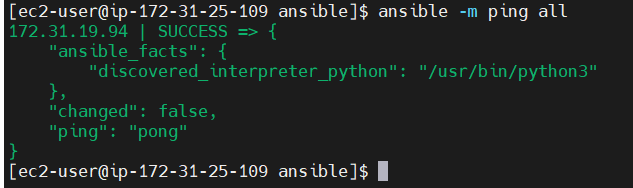
Then Need to verify the server ping or not
So in this case I used to ansible -m ping all command.so you will see like this output.
Then Create add_text_playbook.yml file and add below contain.
This is the add_text_playbook.yml
---
- name: Run Custom Script to Append Text
hosts: all
become: true
tasks:
- name: Copy script to remote hosts
copy:
src: add_text.sh
dest: /tmp/add_text.sh
mode: '0755'
- name: Execute script on remote hosts
command: /tmp/add_text.sh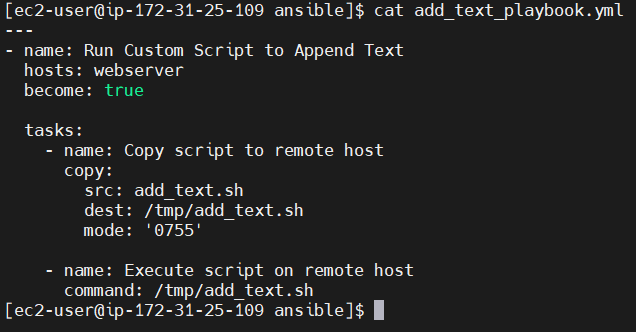
- Run this script using Ansible on all the hosts
- Step 3: Run the Ansible Playbook Then after executing the playbook with:
ansible-playbook add_text_playbook.yml
After execution, the file /tmp/1.txt on all hosts should contain:


After check the slave server you will see the one notepad has been created in text format.
