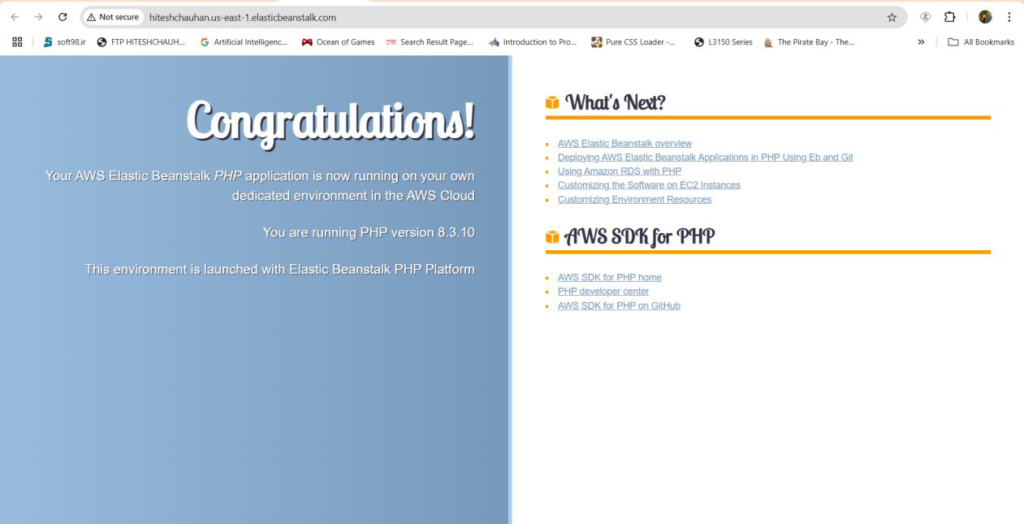
Login to AWS Management Console and First Of Search IAM.
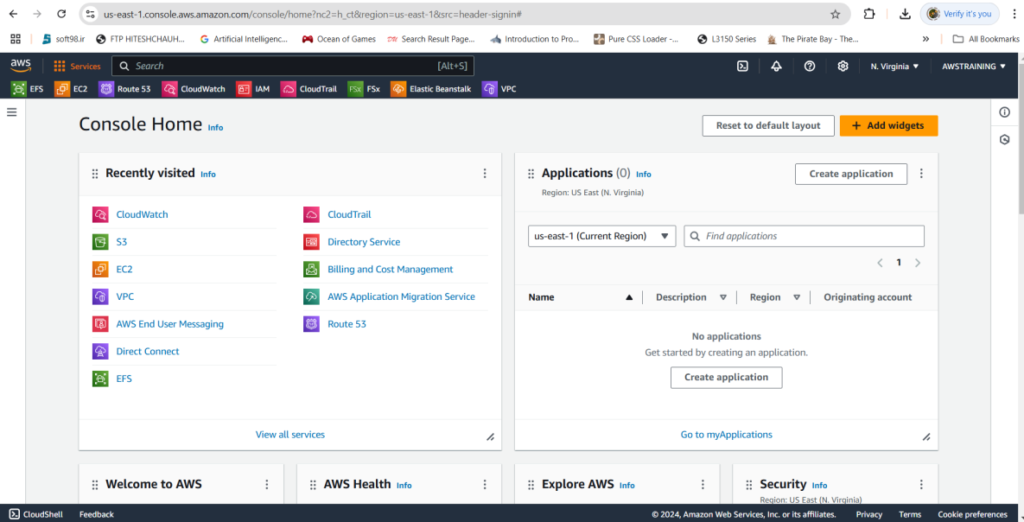
After Search IAM,You will see like this page.
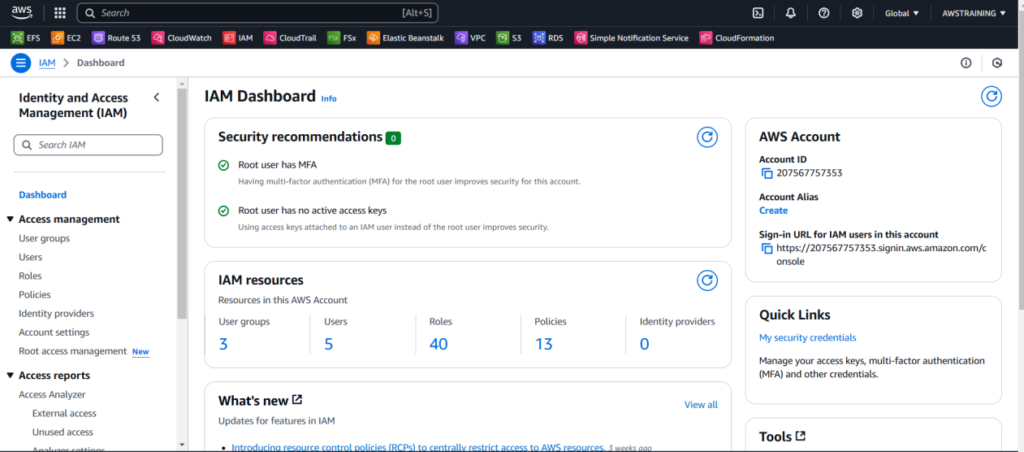
First Of We need to assigned the to ec2 as a elastic beans talk role.
Go To IAM Then Click Role And you will see like this.
Then go to aws service then choose ec2
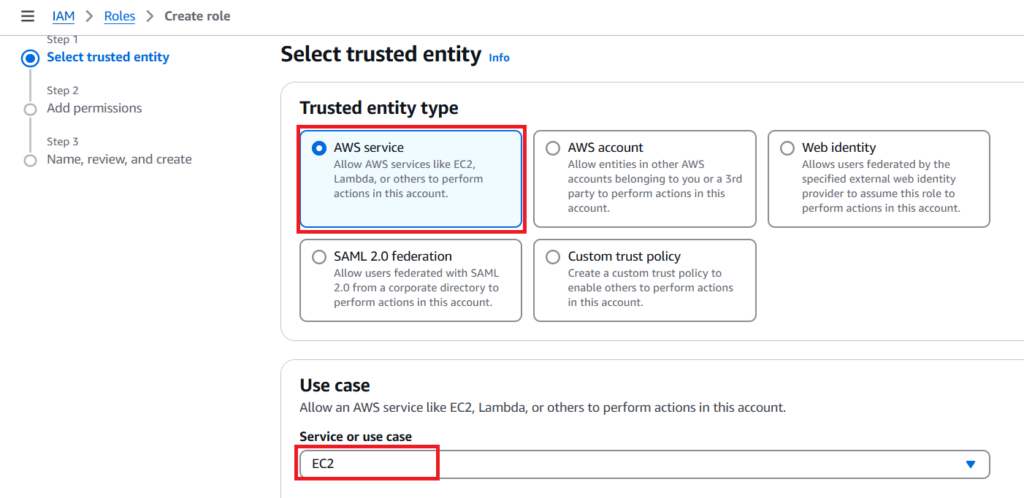
Then Click Next
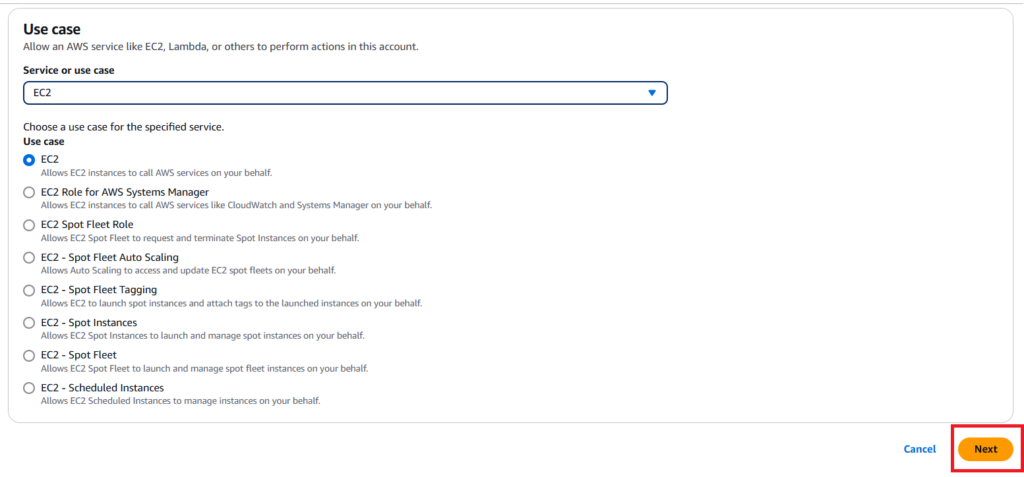
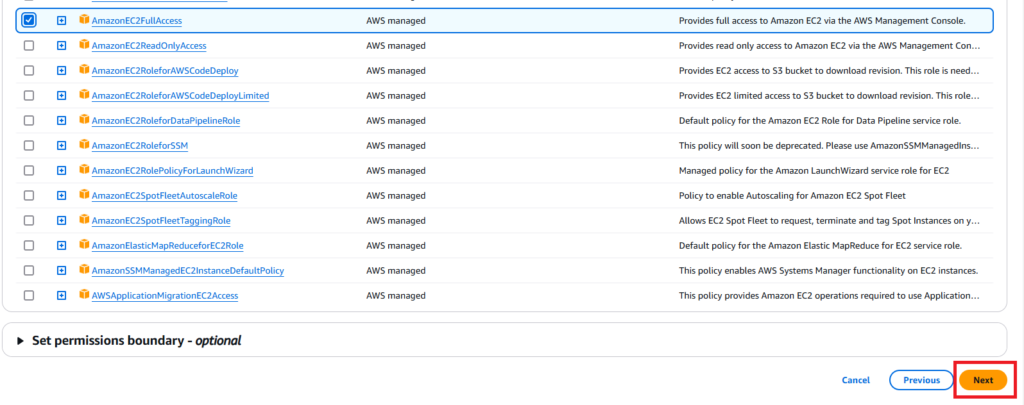
After Click next you choose to AmazonEC2FullAccess
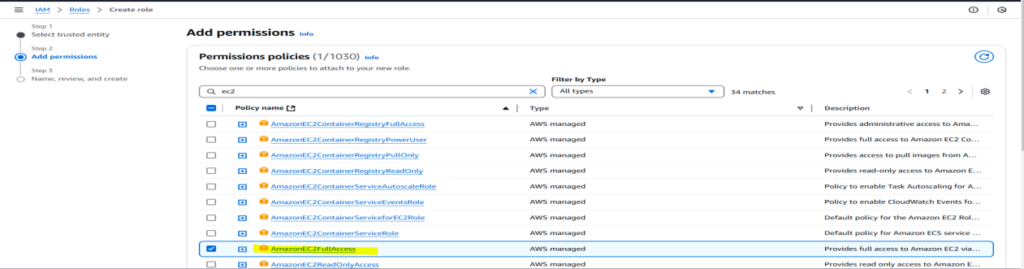
Then Click Next
Then Assign the name of Role Name
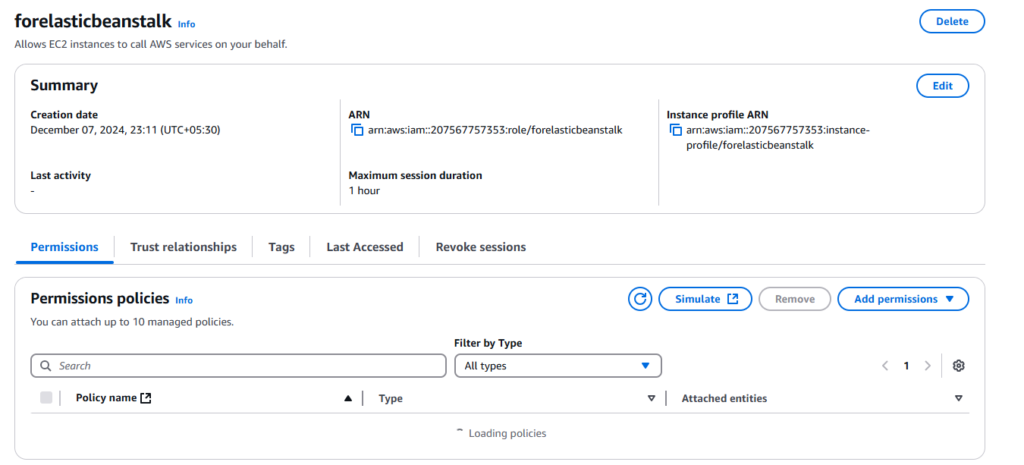
In My case the role name is forelasticbeanstalk
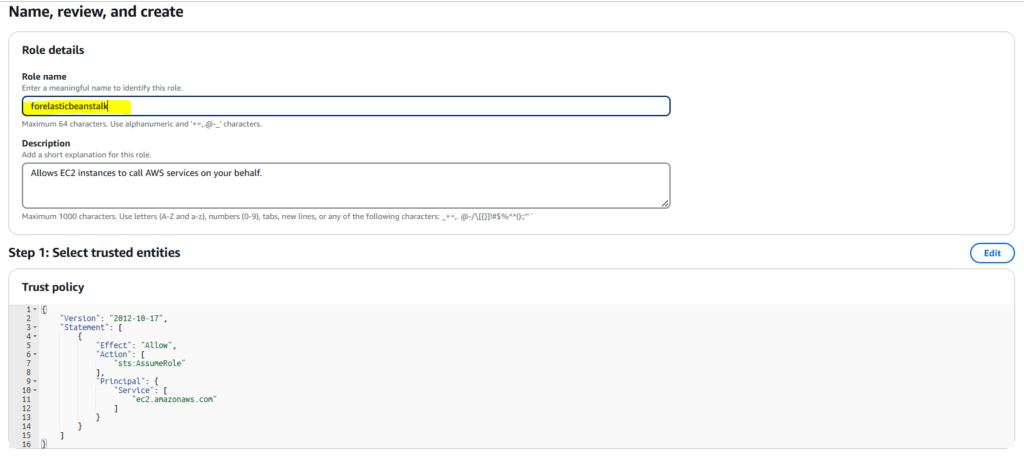
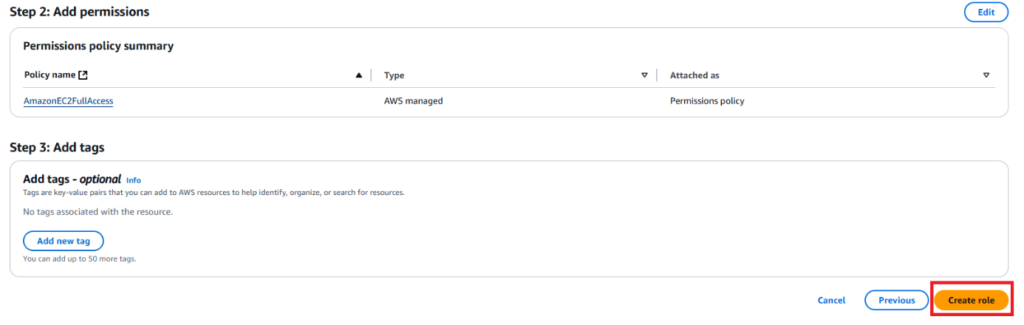
Then Review the role and click next Your role has been created.

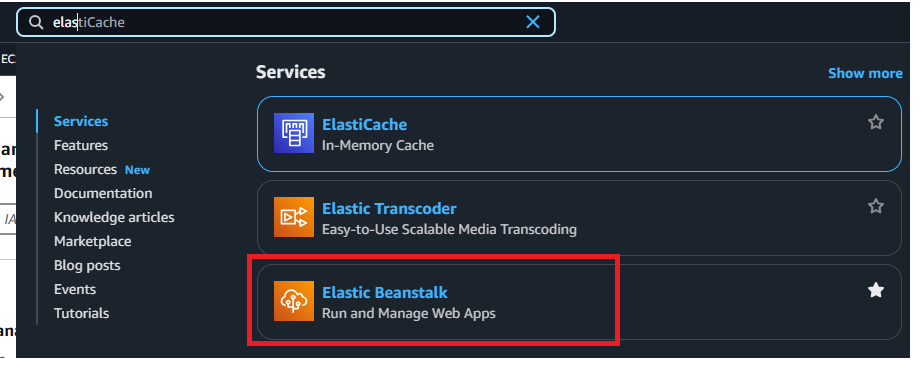
Now You need to search here elastic beanstalk Service.click on it.
After Click you will see like this page.then click Create Application.
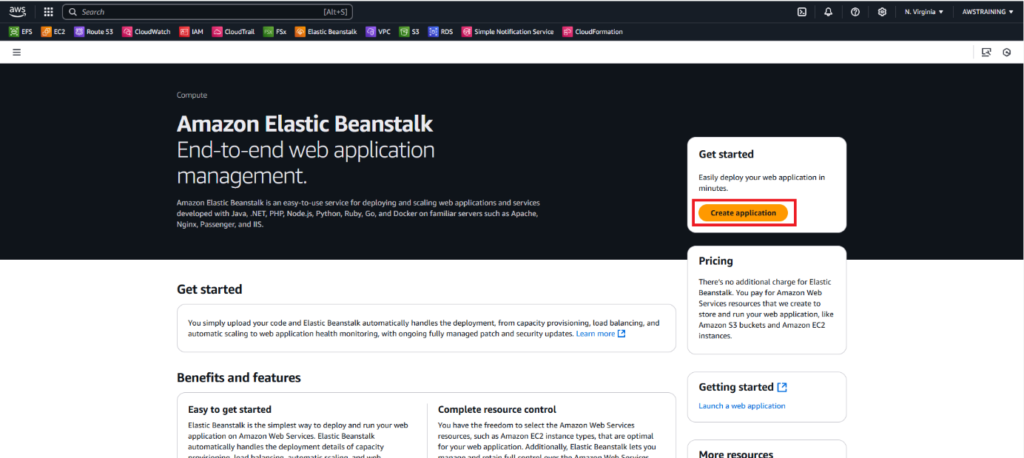
After Click the Create application.
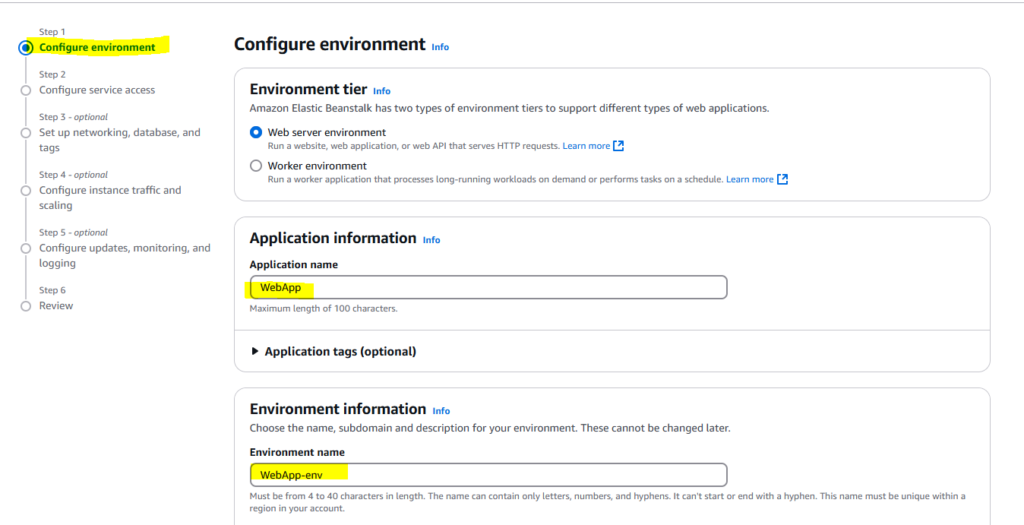
You can see Configure Environement.
In This Scenario there is two Options.
1.Web Server Environment
2.Worker Environment.
So I choose Web server Environment.
Then Assign the application name.
Then You need Assign the Domain.in my case I assigned hiteshchauhan
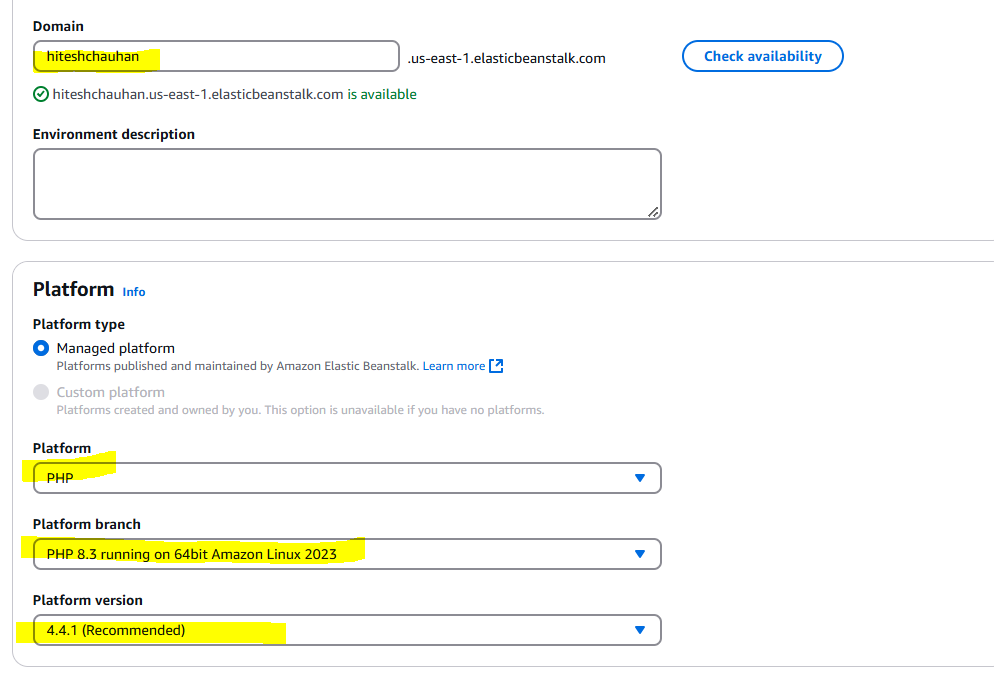
Platform Type
By default Managed platform
Then you will see Platform
So I choosed PHP(As per the task performed)
Then Platform branch will be PHP 8.3 running on 64bit Amazon Linux 2023.
Platform version will be 4.4.1.
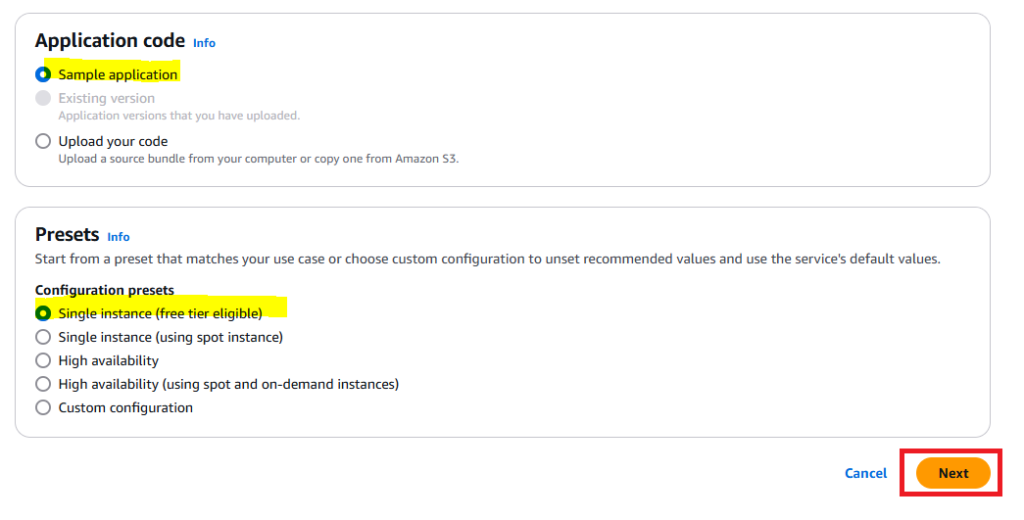
In Below Screenshot Application Code Will be Sample Application and presets Section, Configuration presents will be single instance(free tier eligible) then click next.
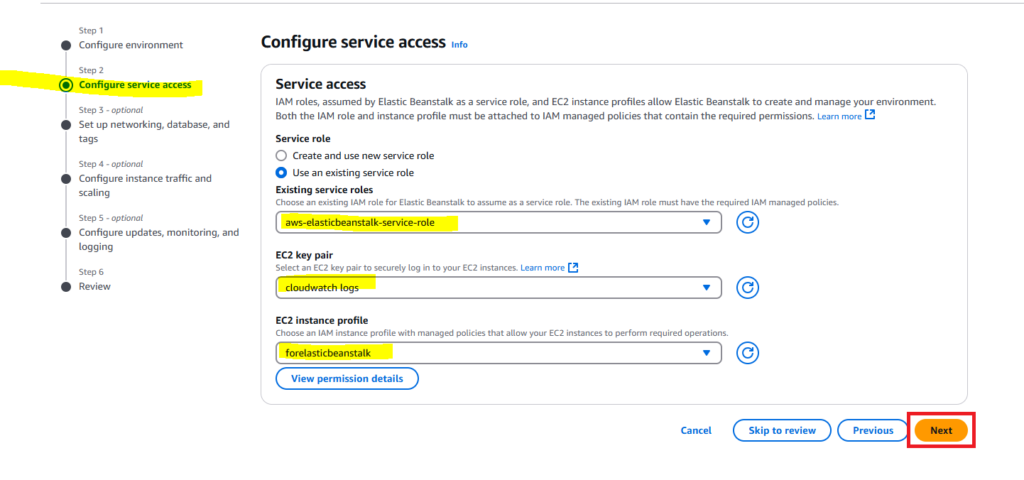
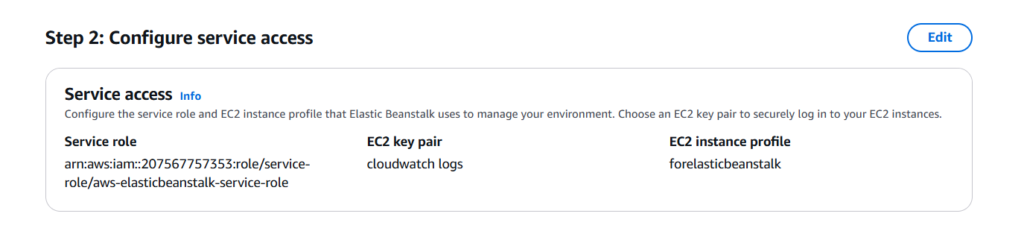
In Configure service access Will be use an existing role aws-elasticbeanstalk-service-role and ec2 key pair will be cloudwatch logs and ec2 instance profile will be forelasticbeanstalk then click next.
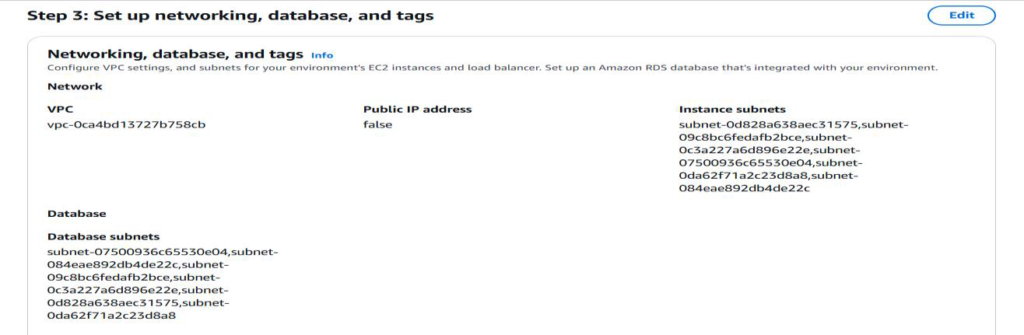
Now You need to setup networking,database and tags.
In VPC,I choosed by default vpc and instance settings will be choosed all az’s.
In Database Setup choosed all database subnets.
Then Click
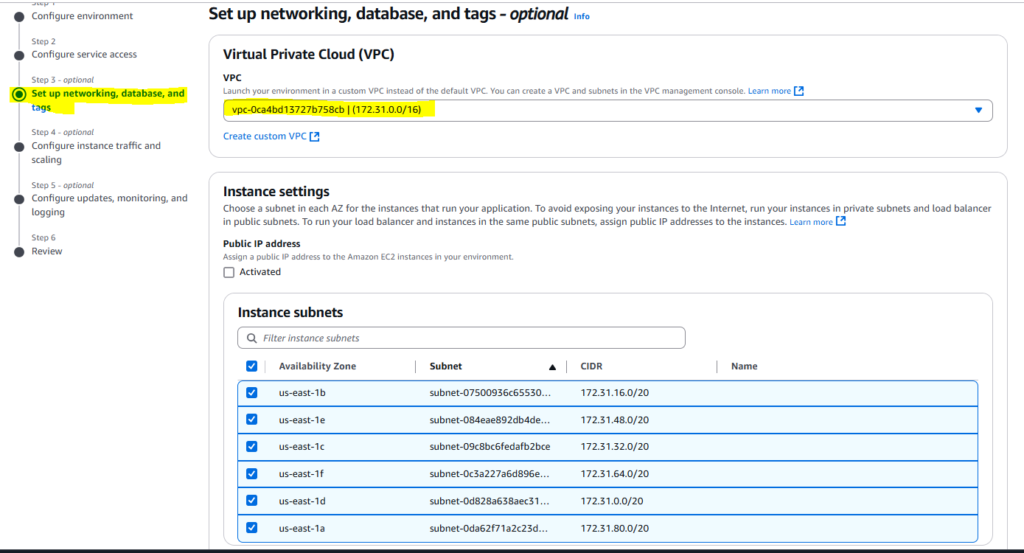
In Database Setup choosed all database subnets
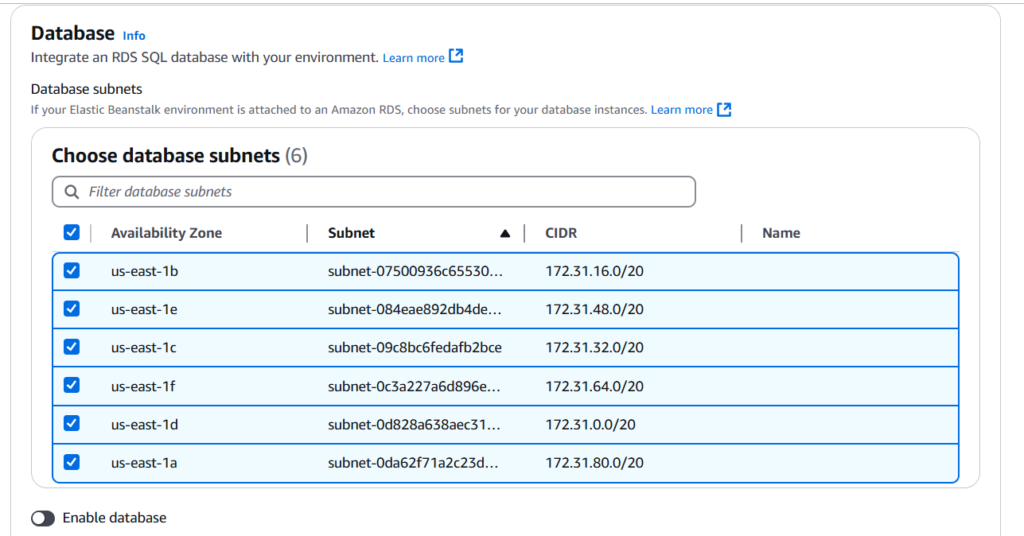
Then Click Next

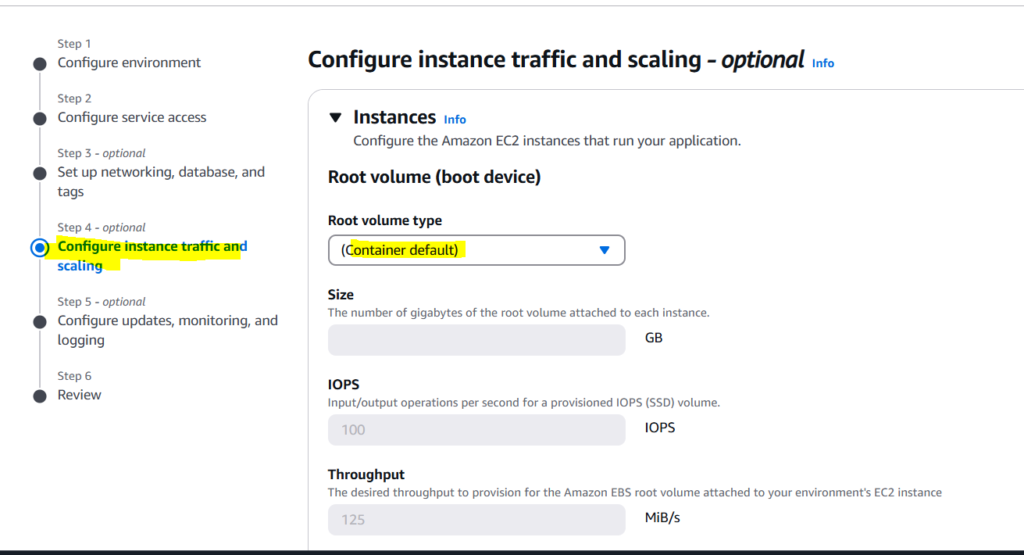
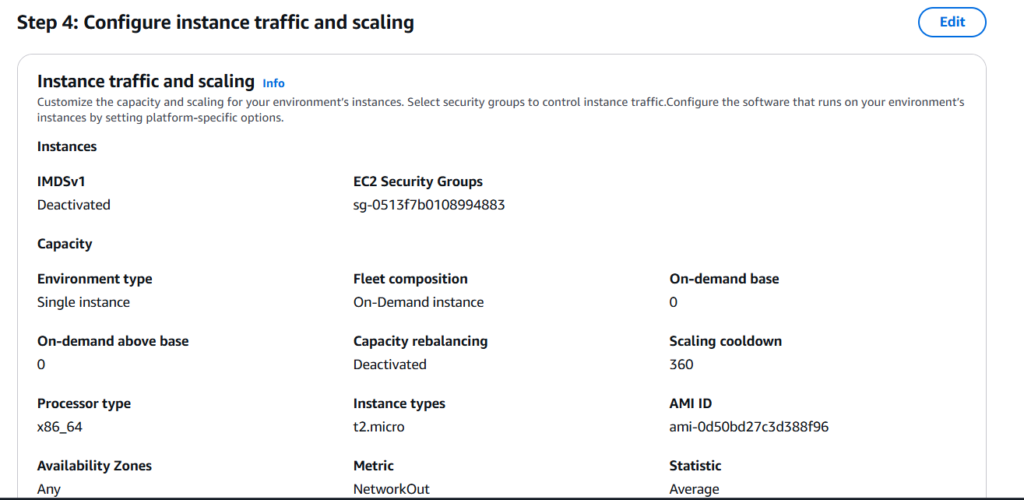
After Click Next We need to Configure instance traffic and Scaling require.
Root Volume will be use default setting.
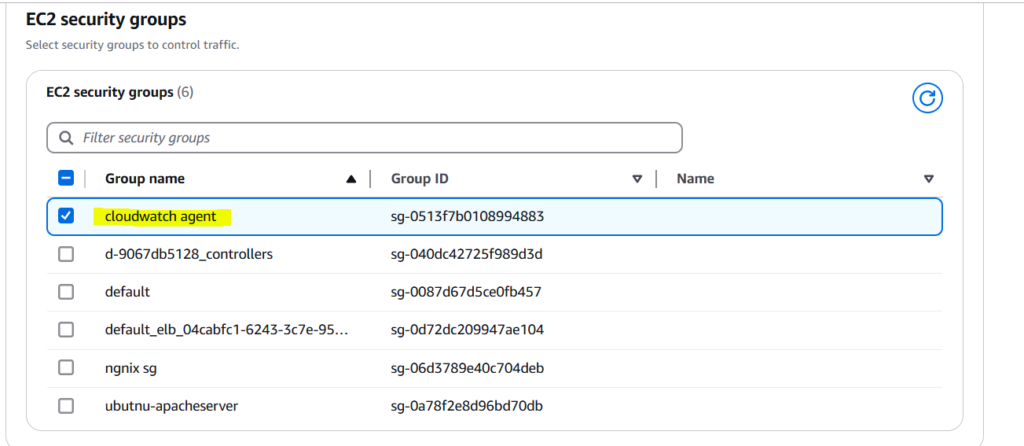
Now EC2 Security Groups Setting I choosed Cloudwatch agent.
Then Capacity Section
In auto scaling group environment type will be single instance.
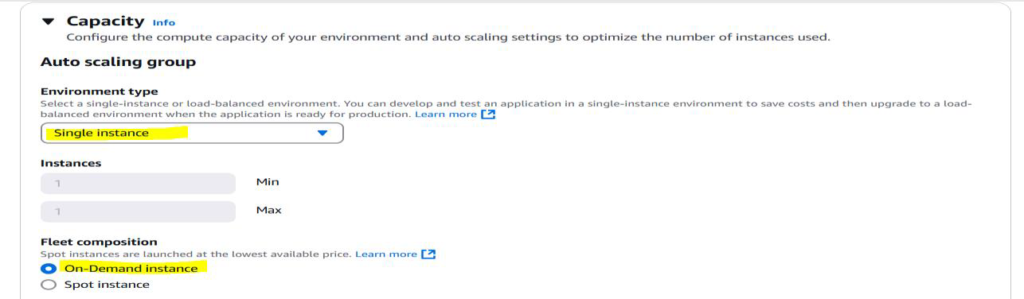
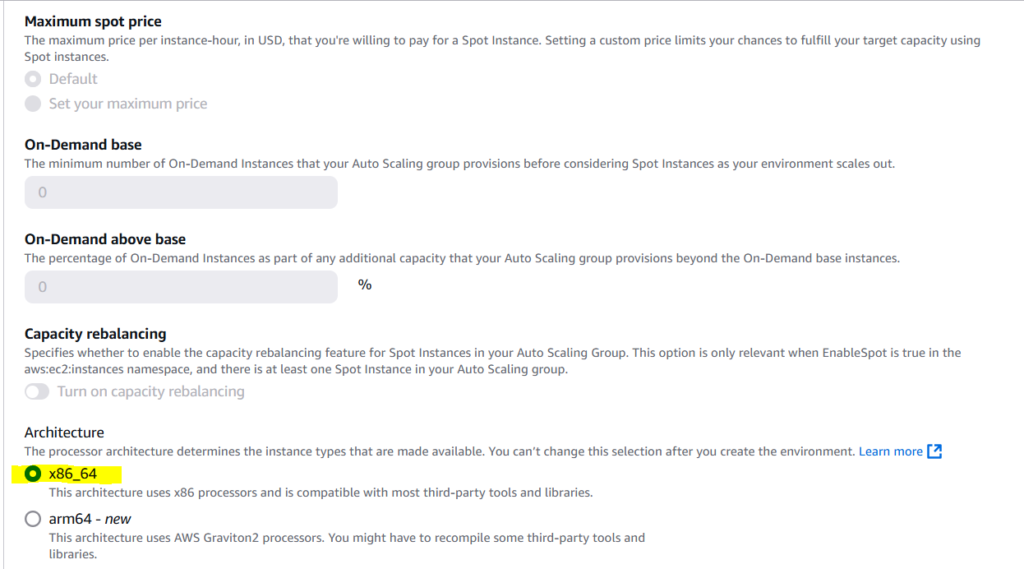
Architecture Will be x86_64.
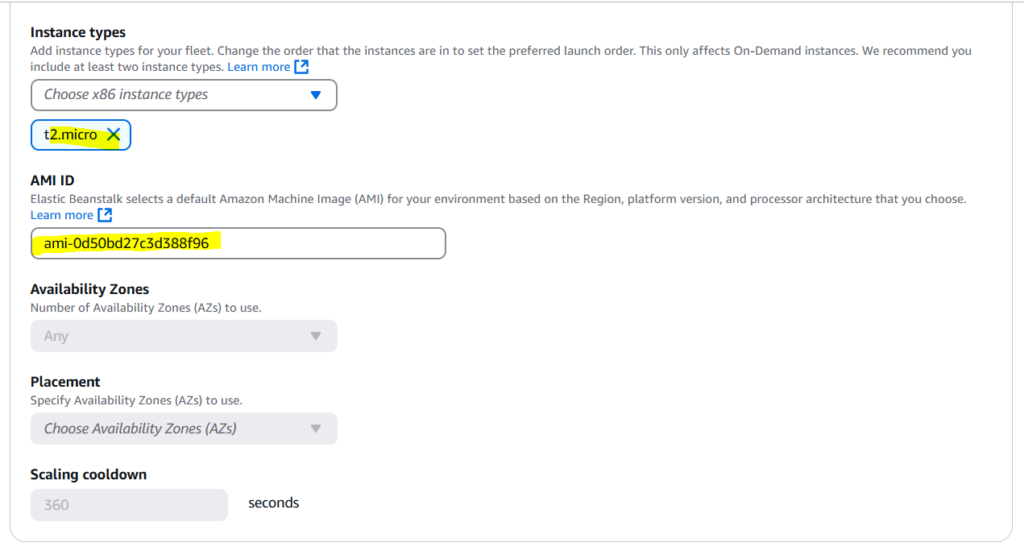
Instance Type Will be t2.micro,AMI ID will be used by default.
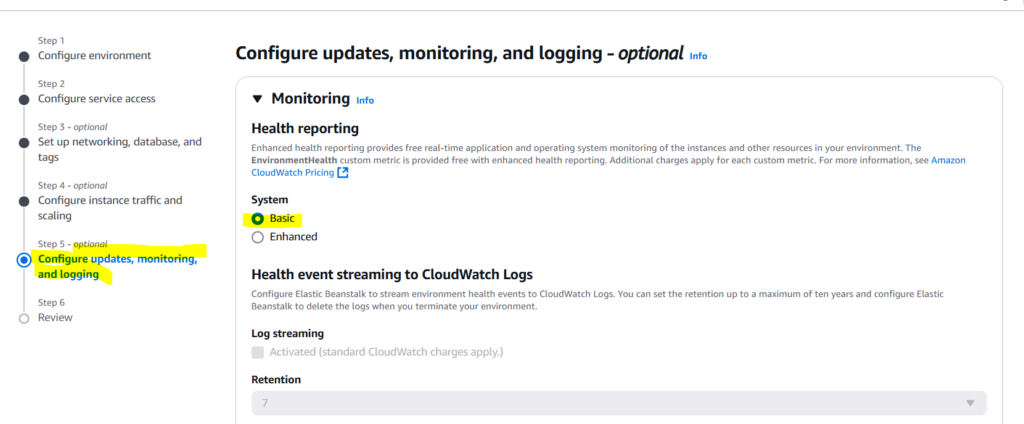
Managed platform updates not required in this case.
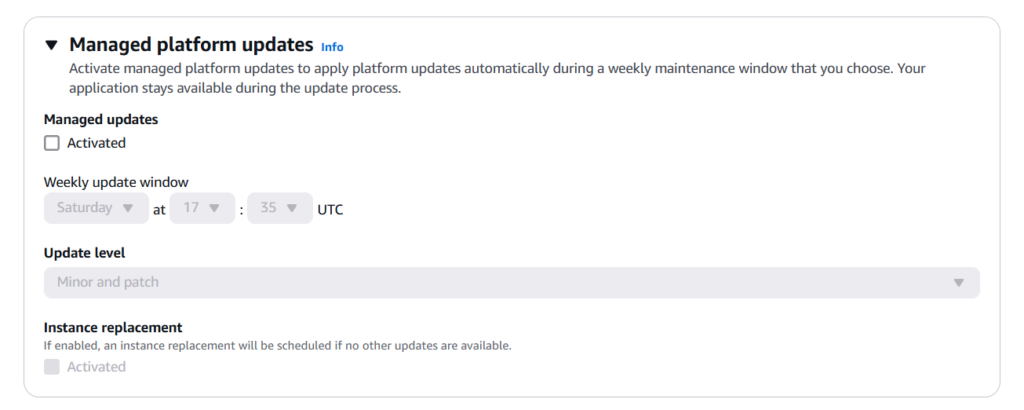
Not Require To Email Notified to received email.

Rolling updates and deployment is by default.
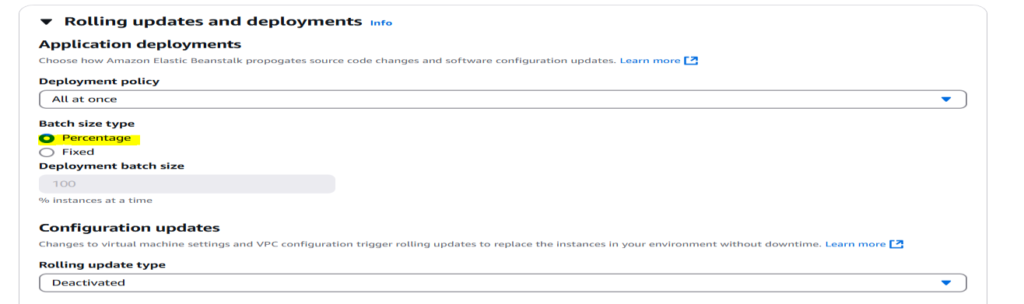
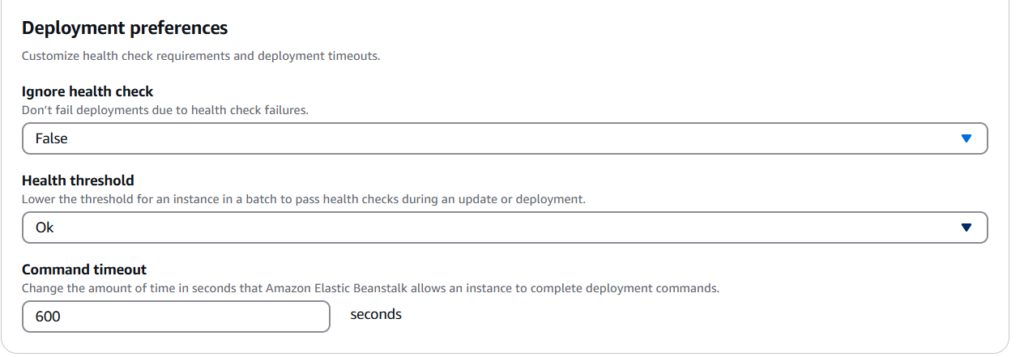
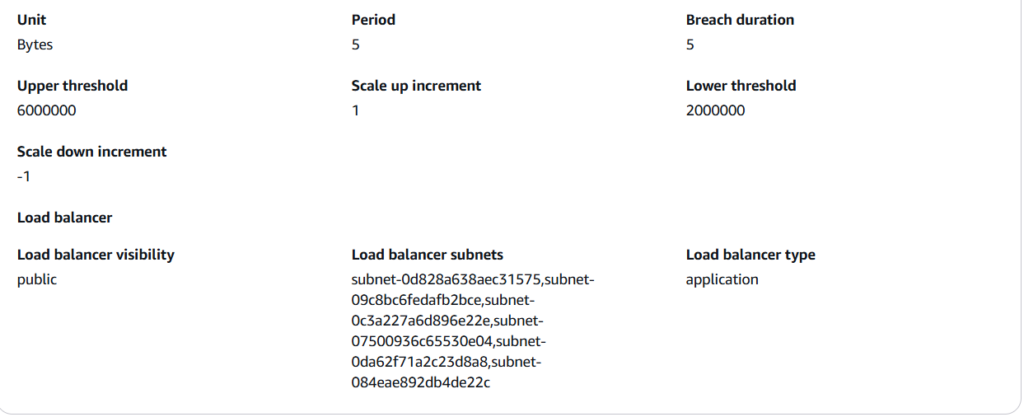
Now In This Stage we need to all this things need to review
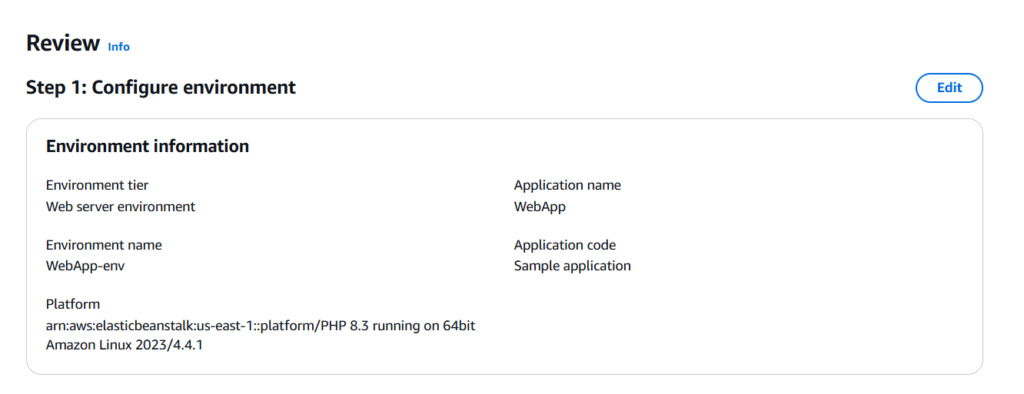
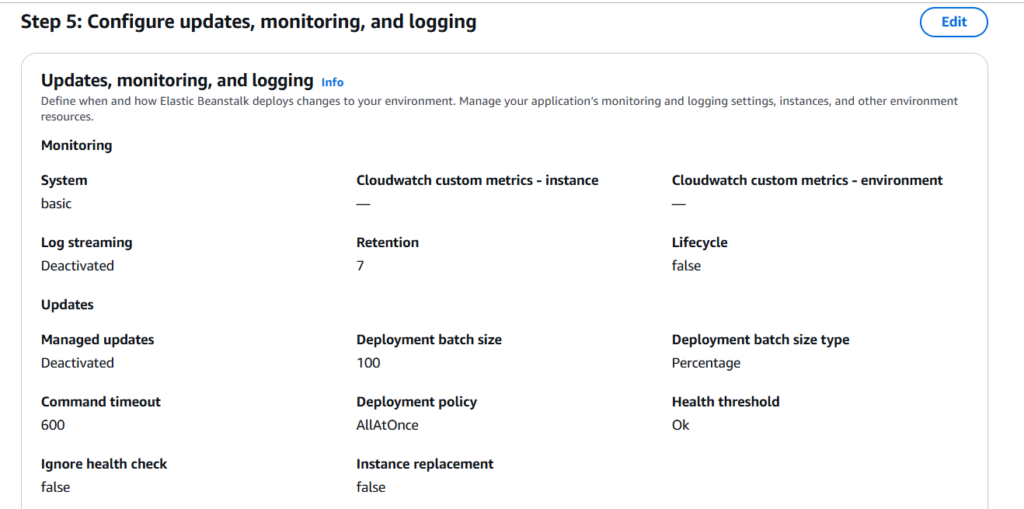
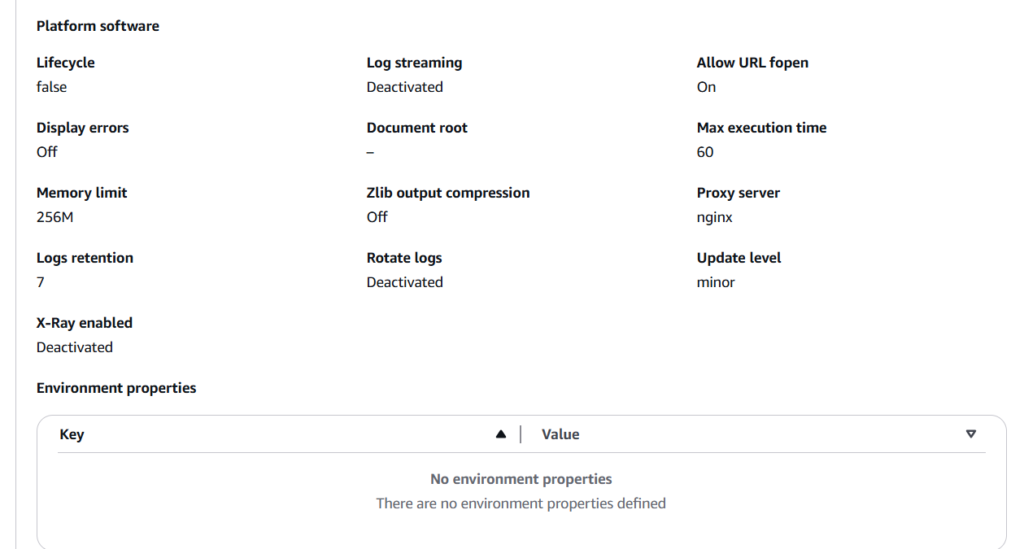
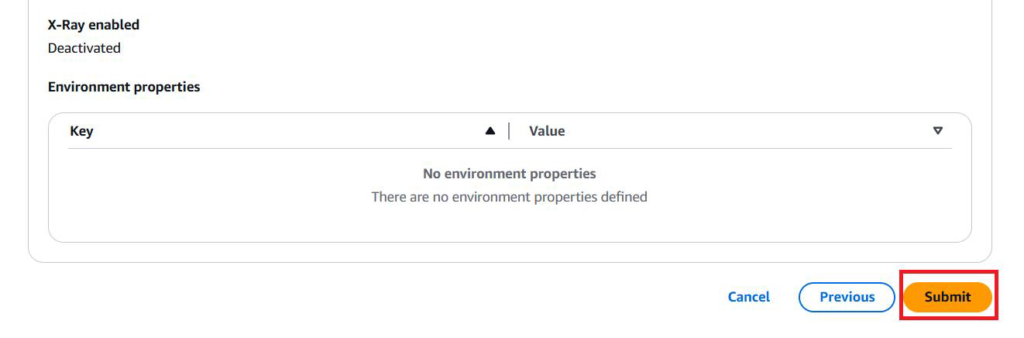
After Review Click the submit.
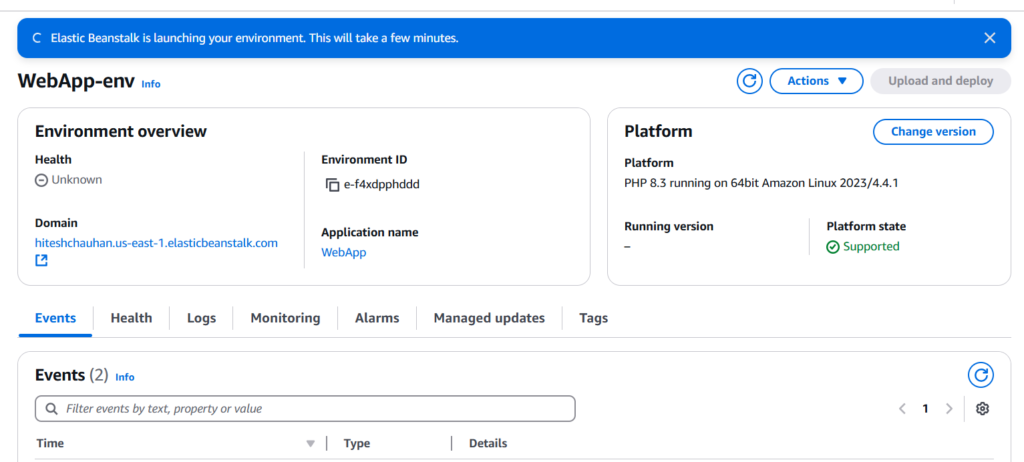
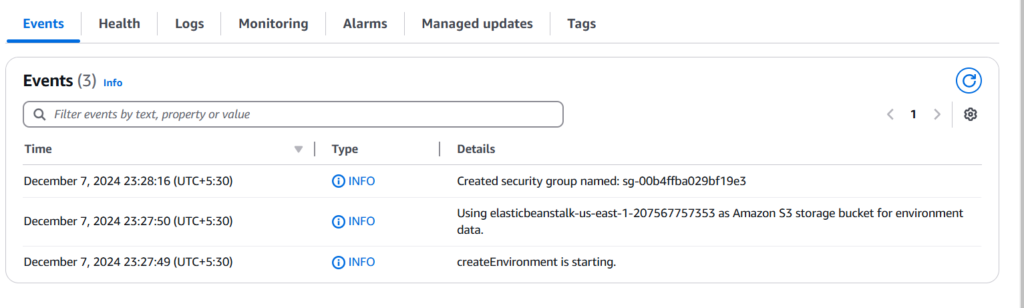
After Deployed the elasticbeanstalk.you will see by default PHP Demo Page.
That’s IT