
Amazon S3 (Simple Storage Service) is one of the most powerful cloud storage solutions, allowing you to store and manage data securely. Whether you’re hosting images, backups, or static websites, setting up an S3 bucket is quick and easy. Here’s how you can do it:
📌 Steps to Create an S3 Bucket:
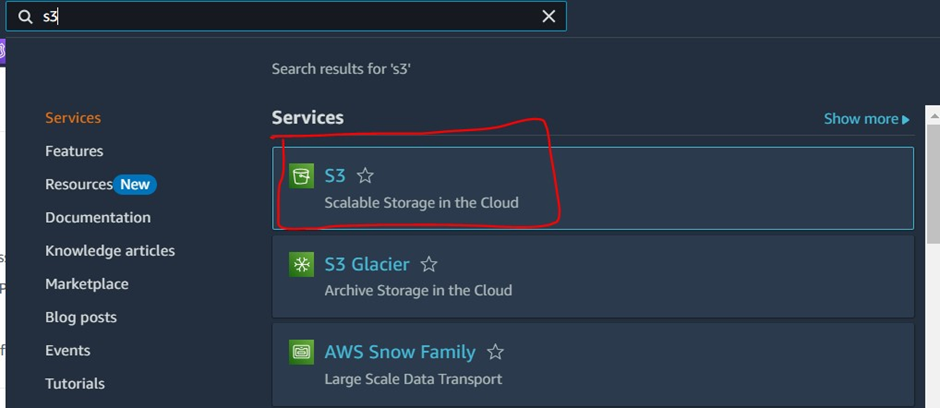
1️⃣ Log in to AWS Console → Navigate to the S3 service
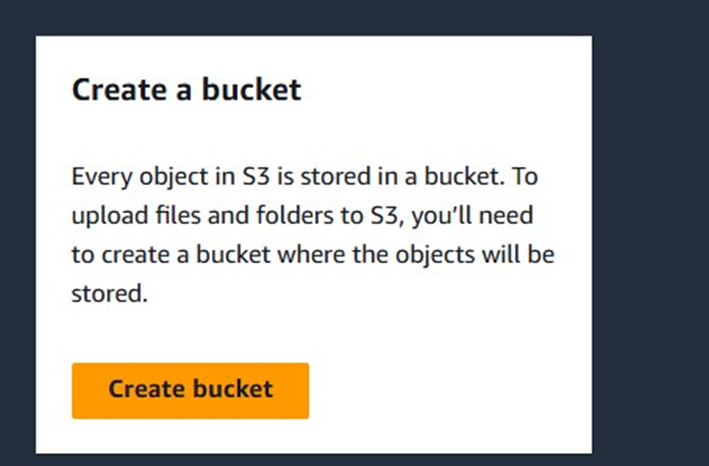
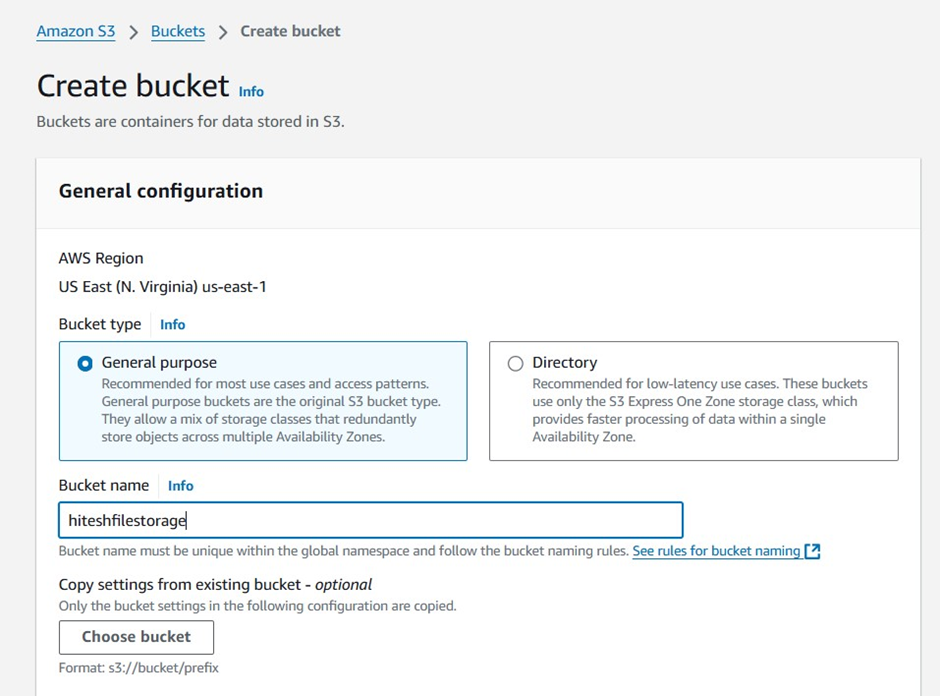
2️⃣ Click “Create bucket” → Enter a unique bucket name
3️⃣ Select a Region closest to your audience
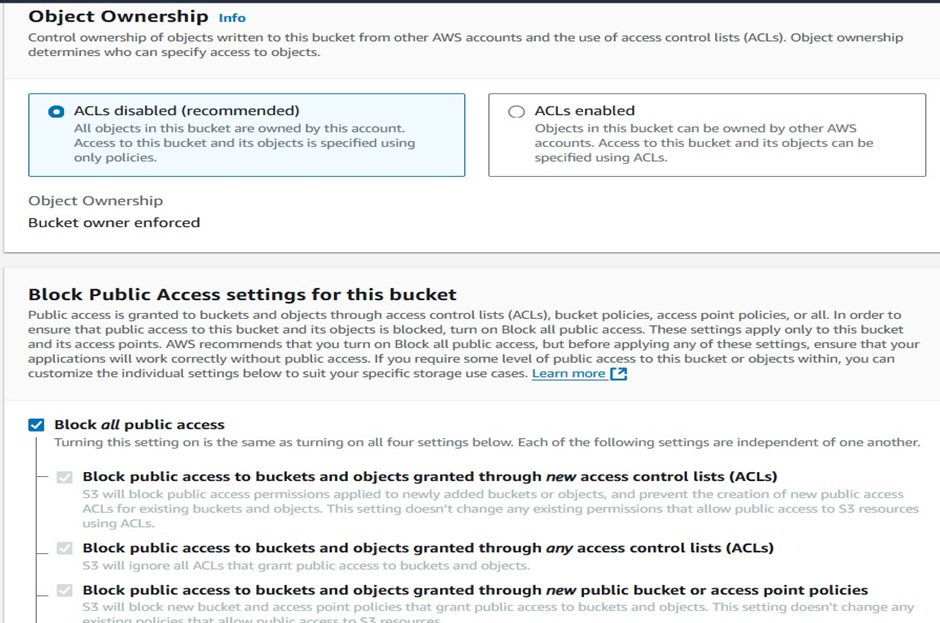
4️⃣ Set Permissions → (Keep private or allow public access based on your use case)
5️⃣ Enable Encryption (Recommended for security) 🔒
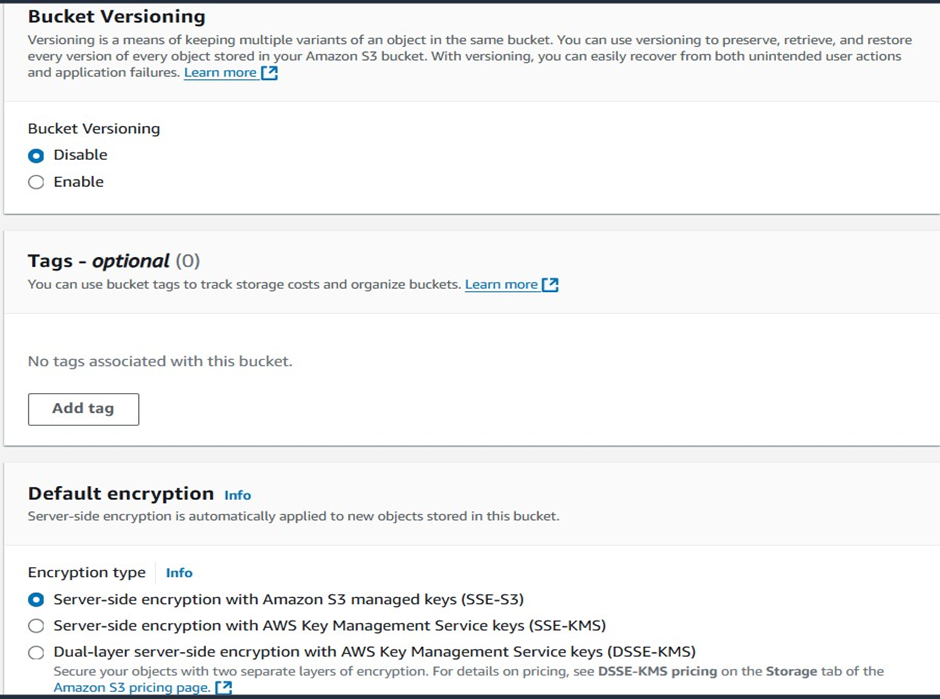
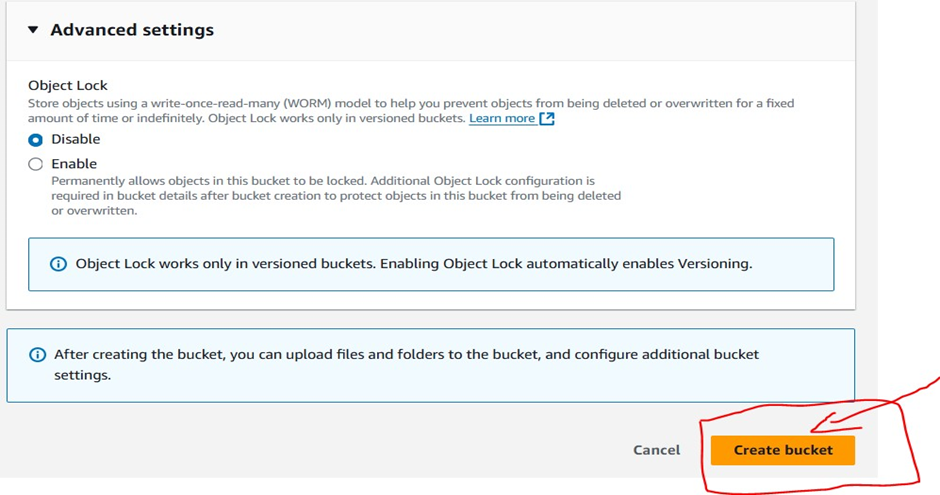
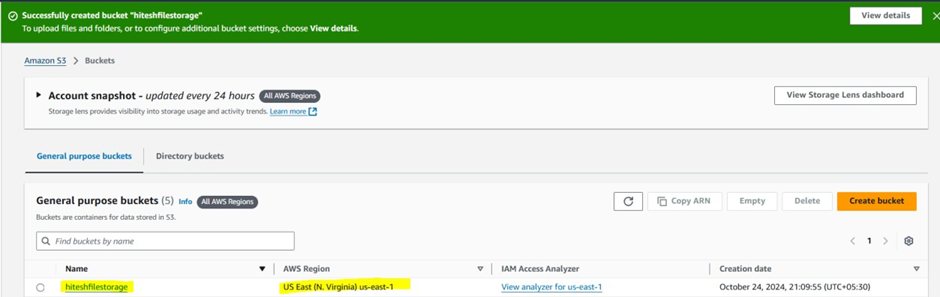
6️⃣ Click “Create bucket” → Your S3 bucket is ready! ✅
For More Information.this documents will help.
