I m excited to announce Amazon S3 Files, a new file system capability that seamlessly connects any AWS compute resource with Amazon Simple Storage Service (Amazon S3).
More than a decade ago, as an AWS trainer, I spent countless hours explaining the fundamental differences between object storage and file systems. My favorite analogy was comparing S3 objects to books in a library — you can’t edit a page; you need to replace the whole book. In contrast, files on your computer allow you to modify content page by page.
Today, that distinction becomes far more flexible. 🎯
What is Amazon S3 Files?
With Amazon S3 Files, Amazon S3 becomes the first cloud object store that offers fully-featured, high-performance file system access to your data.
This means:
- Your S3 buckets become accessible as file systems
- Changes in the file system automatically reflect in the bucket
- Fine-grained synchronization control
- Multiple compute resources can share the same data without duplication
This eliminates the traditional trade-off between:
- Cost-effective object storage
- Interactive file system capabilities
Now, S3 becomes the central data hub for your organization.
Access from Any AWS Compute Service
You can access S3 Files directly from:
- Amazon Elastic Compute Cloud instances
- Containers on Amazon Elastic Container Service
- Kubernetes workloads on Amazon Elastic Kubernetes Service
- Serverless functions using AWS Lambda
The file system presents S3 objects as files and directories and supports NFS v4.1+ operations like:
- Create
- Read
- Update
- Delete
Performance and Smart Data Access
S3 Files intelligently optimizes performance:
- Active data cached in high-performance storage
- Large sequential reads served directly from S3
- Byte-range reads minimize data transfer
- Intelligent pre-fetching anticipates access patterns
This reduces cost while maximizing performance.
Powered by Amazon EFS
Under the hood, S3 Files uses
Amazon Elastic File System
Benefits include:
- ~1ms latency for active data
- Concurrent access from multiple compute resources
- NFS close-to-open consistency
- Ideal for shared workloads and collaborative processing
Demo Architecture Overview
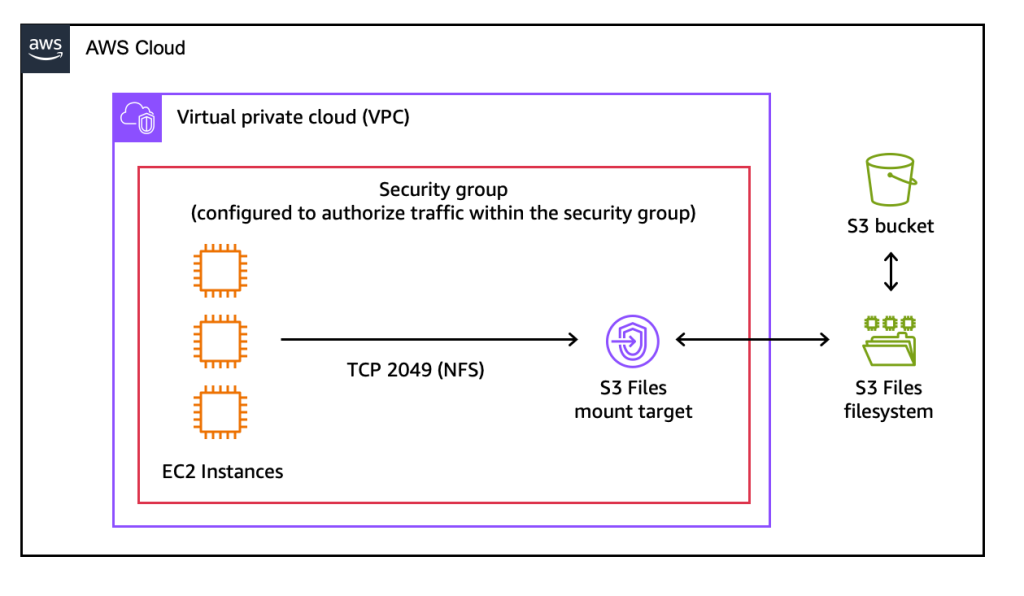
In this demo setup:
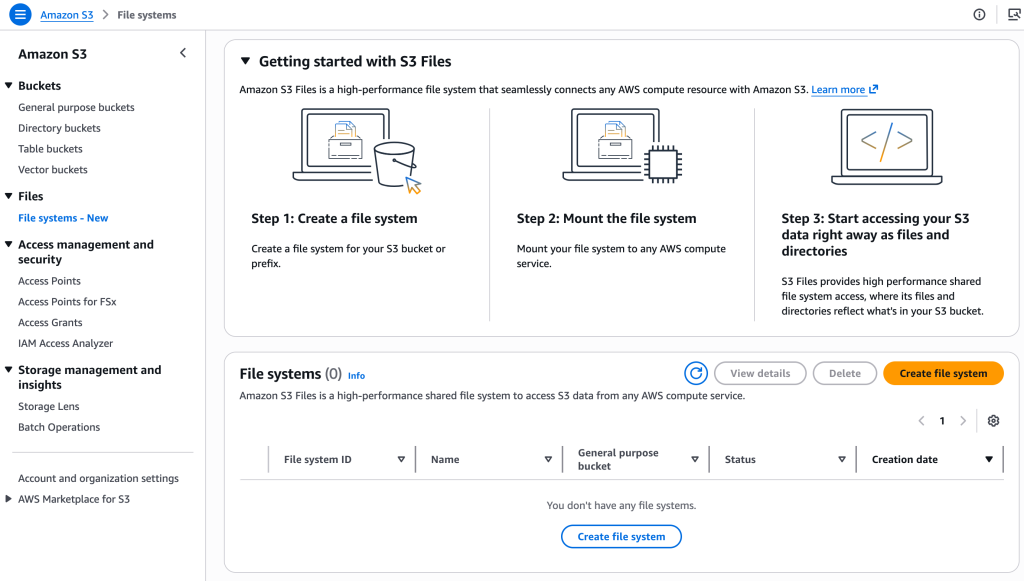
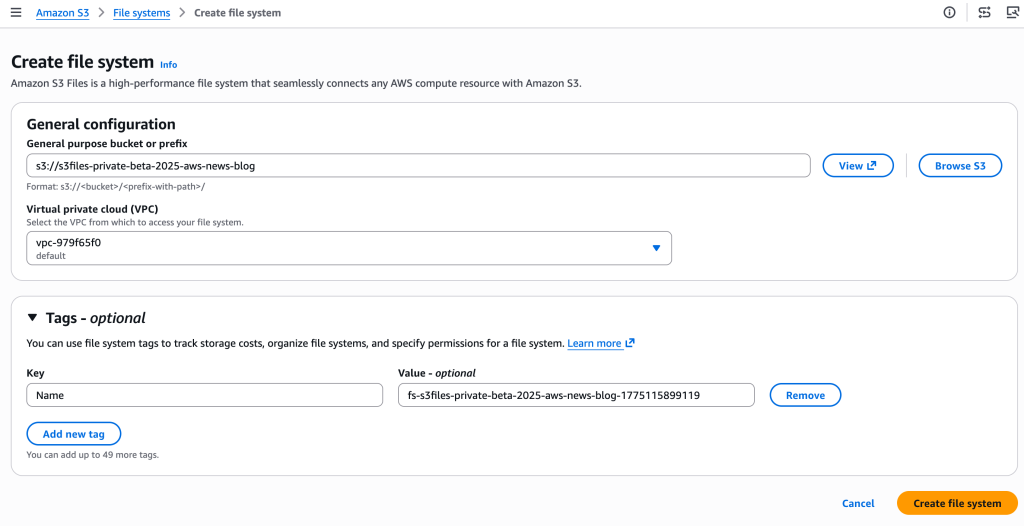
- Create an S3 file system
I enter the name of the bucket I want to expose as a file system and choose Create file system.
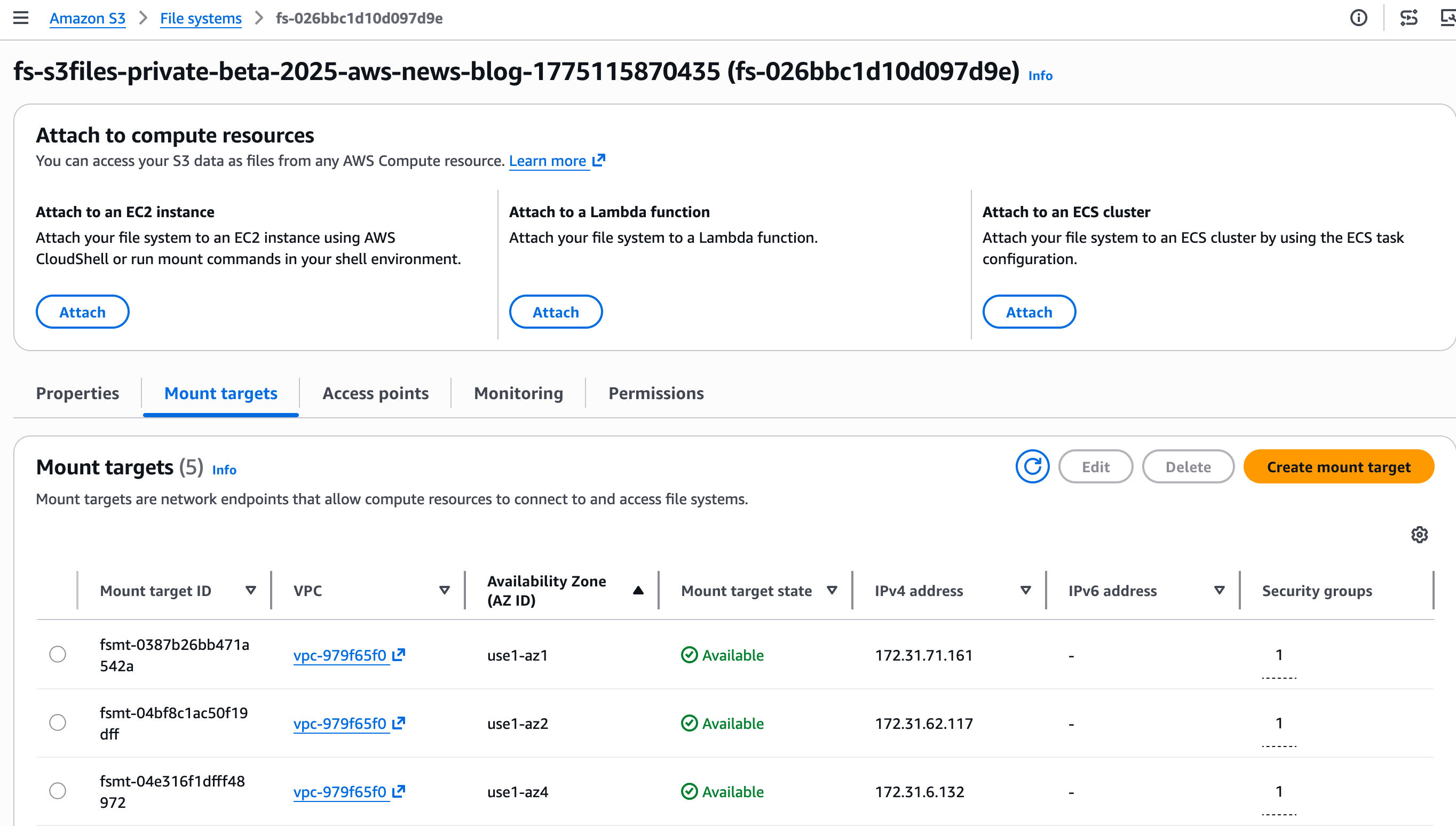
Step 2: Discover the mount target.
A mount target is a network endpoint that will live in my virtual private cloud (VPC). It allows my EC2 instance to access the S3 file system.
The console creates the mount targets automatically. I take notes of the Mount target IDs on the Mount targets tab.
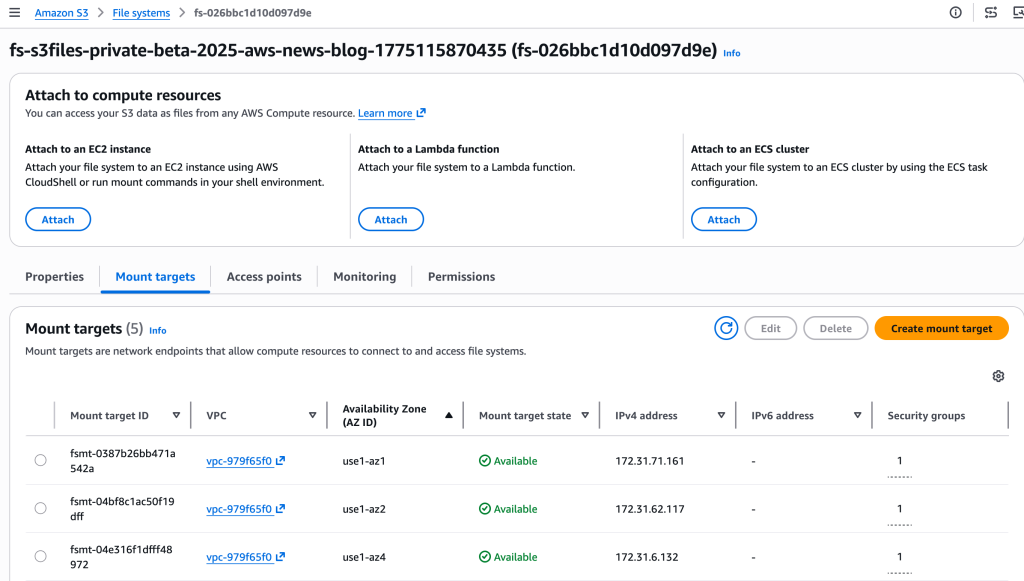
When using the CLI, two separate commands are necessary to create the file system and its mount targets. First, I create the S3 file system with create-file-system. Then, I create the mount target with create-mount-target.
Step 3: Mount the file system on my EC2 instance.
After it’s connected to an EC2 instance, I type:
sudo mkdir /home/ec2-user/s3files sudo mount -t s3files fs-0aa860d05df9afdfe:/ /home/ec2-user/s3files
I can now work with my S3 data directly through the mounted file system in ~/s3files, using standard file operations.
When I make updates to my files in the file system, S3 automatically manages and exports all updates as a new object or a new version on an existing object back in my S3 bucket within minutes.
Changes made to objects on the S3 bucket are visible in the file system within a few seconds but can sometimes take a minute or longer.
# Create a file on the EC2 file system
echo "Hello S3 Files" > s3files/hello.txt

# and verify it's here
ls -al s3files/hello.txt
 -rw-r--r--. 1 ec2-user ec2-user 15 Oct 22 13:03 s3files/hello.txt

# See? the file is also on S3
aws s3 ls s3://s3files-aws-news-blog/hello.txt
2025-10-22 13:04:04 15 hello.txt

# And the content is identical!
aws s3 cp s3://s3files-aws-news-blog/hello.txt . && cat hello.txt
Hello S3 File
### For Amazon Linux 2 / Amazon Linux 2023:
– If you don’t have the package,
$ sudo yum install -y amazon-efs-utils
– If you have the package,
$ sudo yum update -y amazon-efs-utils
### For Ubuntu / Debian:
– If you don’t have the package,
$ sudo apt-get update && sudo apt-get install -y amazon-efs-utils
– If you have the package,
$ sudo apt-get update && sudo apt-get upgrade -y amazon-efs-utils
Key Benefits
✔ No need to copy data between storage types
✔ Single source of truth in S3
✔ High performance with low latency
✔ Shared access across compute resources
✔ Cost optimized data access
Getting Started
You can create your first S3 file system using:
- AWS Management Console
- AWS CLI
- Infrastructure as Code (Terraform / CloudFormation)
Final Thoughts
Amazon S3 Files removes the long-standing boundary between object storage and file systems. It combines the durability and scalability of S3 with the flexibility of a traditional file system — unlocking new possibilities for modern cloud workloads.
This is a major step forward in making Amazon S3 the central data platform for compute, analytics, and AI.