
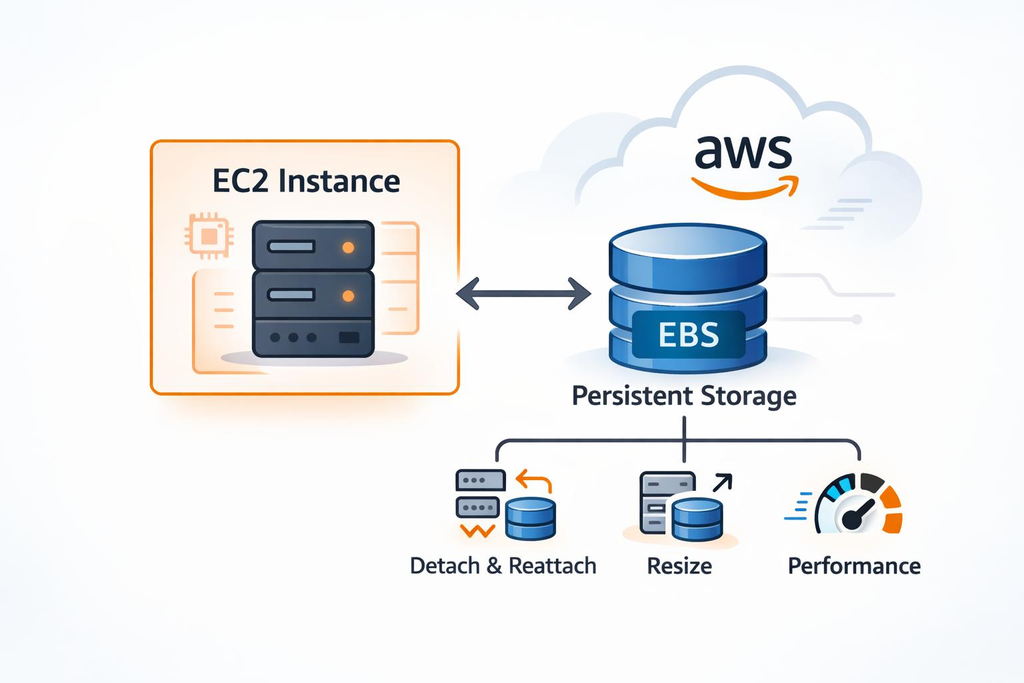
An Amazon EBS (Elastic Block Store) volume is a block-level storage device that you can attach to an Amazon EC2 instance. It stores operating system files, applications, databases, and other data.
Think of an EBS volume as a virtual hard disk for your cloud server.
1. How does an EBS volume work?
Amazon EC2 Instance
Operating system · Applications
Amazon EBS Volume
Persistent block storage
When you launch an EC2 instance, you commonly configure a root EBS volume that contains the operating system. You can also attach additional EBS volumes to store application data.
EBS volumes are designed to persist independently of the running state of an EC2 instance. However, whether data survives instance termination depends on the volume’s configuration and deletion settings.
2. Types of EBS volumes
| Volume type | Best use |
|---|---|
gp3 | General-purpose SSD; a common default for applications and boot volumes |
gp2 | Older general-purpose SSD |
io2 | High-performance, IOPS-intensive workloads |
io1 | Provisioned IOPS workloads |
st1 | Throughput-intensive workloads, such as large sequential data processing |
sc1 | Infrequently accessed, throughput-oriented data |
Beginner tip: Start by learning gp3. It is suitable for many general-purpose workloads and allows you to configure performance independently of volume size within its supported limits.
3. How to create and attach an EBS volume

- Open the AWS EC2 Console.
- Select Elastic Block Store → Volumes.
- Click Create volume.
- Choose a volume type, such as
gp3. - Specify the size, for example, 10 GiB.
- Select the same Availability Zone as your EC2 instance.
- Create the volume.
- Select the new volume and choose Actions → Attach volume.
- Select the target EC2 instance and attach it.
Creating and attaching a volume does not automatically make it available as a mounted filesystem inside Linux. You may need to identify the device, format it, and mount it.
4. Linux commands to use an attached EBS volume
First, identify the available disks:
lsblkInspect filesystem information:
sudo lsblk -fIf the new volume is genuinely empty and you have verified the correct device, create a filesystem. For example:
sudo mkfs -t xfs /dev/nvme1n1Warning: Formatting erases existing filesystem data. Never run this command on a disk that contains data you need to preserve.
Create a mount point and mount the volume:
sudo mkdir -p /data
sudo mount /dev/nvme1n1 /data
Verify the mounted filesystem:
df -hDevice names vary by instance type and configuration. On Nitro-based instances, EBS volumes commonly appear as NVMe devices, and the Linux device name may differ from the name shown in the EC2 console.
5. EBS vs. instance store
| Feature | EBS volume | Instance store |
|---|---|---|
| Storage type | Network-attached block storage | Physically attached host storage |
| Persistence | Designed to persist independently of the instance’s running state | Data is generally lost when the instance stops, hibernates, or terminates, depending on the event and instance type |
| Detachable | Usually can be detached from an instance | Not independently detachable like EBS |
| Common use | Operating systems, application data, databases | Temporary data, caches, scratch files |
6. Important EBS best practices
- Take EBS snapshots to support backup and recovery.
- Enable encryption for sensitive data.
- Monitor storage performance and available disk space.
- Review the Delete on termination setting before terminating an EC2 instance.
- Remember that EBS storage can continue to incur charges when an EC2 instance is stopped.
- Avoid formatting or deleting volumes without verifying their contents.
7. Frequently asked interview questions
Q1. What is an EBS volume?
An AWS block-storage device that can be attached to an EC2 instance.
Q2. Can an EBS volume survive an EC2 stop?
Yes. EBS volumes normally persist when the instance is stopped.
Q3. Can you attach an EBS volume to another EC2 instance?
Generally, yes, after detaching it from the original instance when required. The instances must be in the same Availability Zone. Some volume configurations support multi-attach, subject to specific restrictions.
Q4. Does deleting an EC2 instance delete its EBS volume?
It depends on the volume’s Delete on termination setting. Root volumes are commonly configured for deletion on termination, while additional data volumes may be retained.
Q5. What is an EBS snapshot?
A point-in-time backup of an EBS volume stored using Amazon EBS snapshot infrastructure.
