
Step 1: Pull the docker container using the command:
$ docker pull ubuntu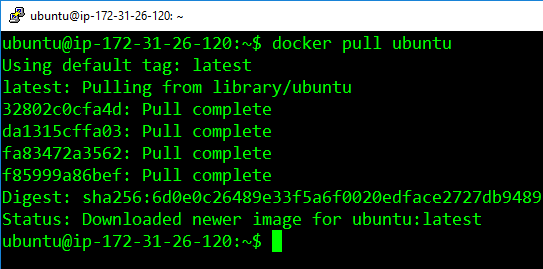
Step 2: Run the container using the commands
$ docker container run -it -d ubuntu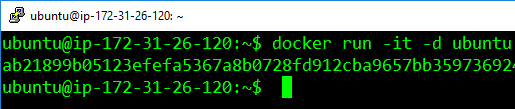
Step 3: Access the container using the command:
$ docker exec -it <container-id> bash
Step 4: Install apache2 on this container, using the following:
$ apt-update

$ apt-get install apache2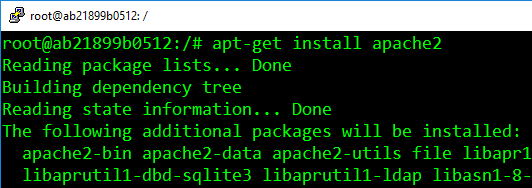
Step 5: Exit the container, and save the container using this command.
The saved container will be converted into an image with the name specified is
$ docker commit <container-id> <username>/<container-name>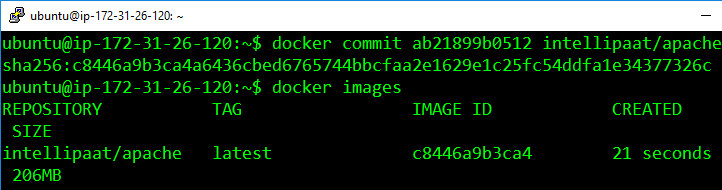
The username must match with the username which you created on Docker Hub.
The container-name name can be anything.

Very good
Very good
Good
Very good
Great content as always. This site is becoming my go-to source.
Its such as you learn my thoughts! You appear to know a
lot about this, such as you wrote the book in it or something.
I believe that you could do with a few p.c. to power the message house a bit, however other than that, this is fantastic
blog. A great read. I will definitely be back.
When I initially left a comment I appear to have clicked the -Notify me when new comments are added- checkbox and now each time
a comment is added I get four emails with the same
comment. Is there a means you can remove me from that
service? Kudos!
These are really wonderful ideas in regarding blogging.
You have touched some nice things here. Any way keep
up wrinting.