
Step 1: Create a folder Docker in the home directory
$ mkdir docker
Step 2: Enter into this directory and create a file called ‘Dockerfile’, with the
same contents as the Sample Dockerfile. Add the following content in the
Dockerfile.
$ cd docker
$ sudo nano Dockerfile
FROM ubuntu
RUN apt-get update
RUN apt-get -y install apache2
ADD ./var/www/html/
ENTRYPOINT apachectl -D FOREGROUND
ENV name Devops Intellipaat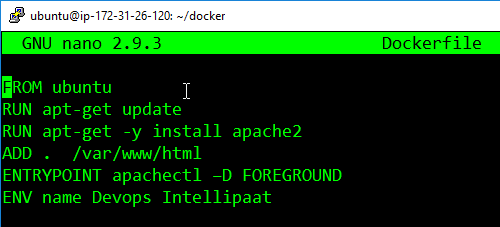
Step 3: Create one more file called index.html with the following contents which
can verify the push on Docker Hub.
$ sudo nano index.html<html>
<title> Sample Website </title>
<body>
Hello World
</body>
</html>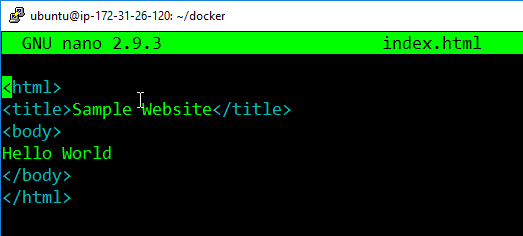
Step 4: Now pass the following command:
$ docker build <directory-of-dockerfile> -t <name of container>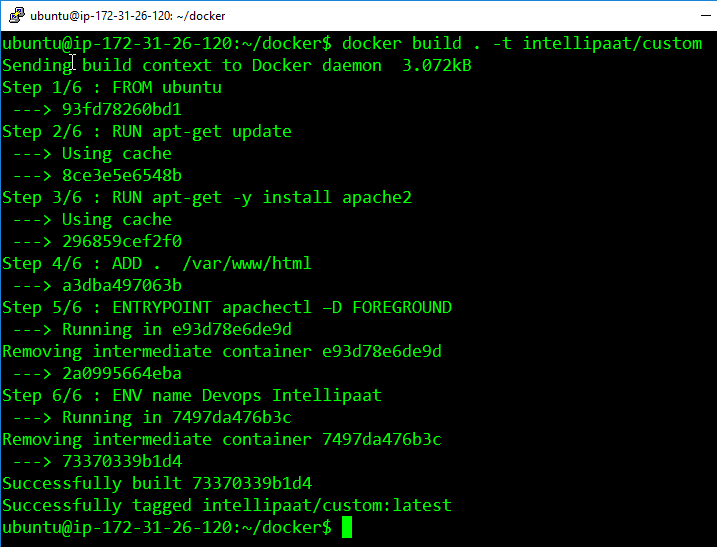
Step 5: Finally, run this built image, using the following command:
$ docker run -it -p 81:80 -d <name of container>
Step 6: Now navigate to the server IP address on port 81

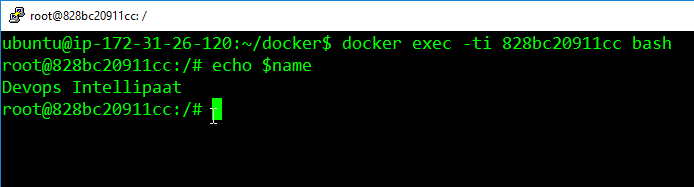
Step 7: Finally, login into the container and check the variable $name, it will
have the same value, as given in the Dockerfile.

Awesome